

.svg)
What is adaptive authentication? How risk-based customer sign in works

Adaptive authentication is a security approach that evaluates risk signals during a sign in or access attempt and adjusts the verification requirements accordingly.
It uses information such as device, location, and behavior to determine when to require additional checks, including multi-factor authentication (MFA), which asks customers to verify their identity using more than one type of evidence.
For example, a customer signing in to a retail account from a recognized device may face fewer authentication steps. If someone attempts to access that same account from an unfamiliar device and an unusual location, the system may request an additional authentication factor or block access, depending on the configured policies.
In this blog, we’ll explain how adaptive authentication works, its benefits and customer use cases, and how to implement it in your business.
What is adaptive authentication?

Adaptive authentication automatically adjusts the security steps a customer needs to take to sign into their account. It considers how risky they seem and how sensitive the actions are that they’re trying to take are. Adaptive authentication is also sometimes called “adaptive trust” or “risk-based authentication (RBA),” and can use multi-factor authentication (MFA) when additional verification is needed
MFA has been widely used for about a decade. But when you configure it to require an additional check at every sign in, customers must repeat that step even when they use a familiar device from their usual location. These repeated checks can make routine account access frustrating
Adaptive authentication gives brands more flexibility to determine when those checks are appropriate.
Why is adaptive authentication important?
- A stolen password can give an attacker access to a customer’s account. Adaptive authentication helps you assess the sign in attempt and request additional verification when the device, location, or behavior looks suspicious.
- Your customers shouldn’t have to repeat extra security checks every time they check an order or return to shop. Adaptive authentication can reduce those checks during familiar activity, making account access easier.
How does adaptive authentication work?
Adaptive authentication works behind the scenes to figure out whether it knows the customer who’s signing in and to determine what the risk is during the sign in attempt. . That’s a challenging task in an online world. In order to make the call, most adaptive authentication systems use four types of signals:
- Device data – Has this phone or desktop signed in before?
- Network data – Is the sign in coming from a reputable IP address?
- Location data – Is the sign in coming from a trusted locale?
- Behavioral data – Is the activity happening during a day/time when this customer tends to sign in?
The system evaluates these signals together to assess risk, sometimes calculating a risk score. It then applies your configured policies to decide whether to allow access, request additional verification, or block the attempt.

For example, a customer signing in from a recognized device and their usual location might enter their password without completing an additional MFA check. An attempt from an unfamiliar device in an unexpected location could trigger a second factor, such as a code from an authenticator app.
When an attempt meets your blocking conditions, the system can deny access. Your policies determine which circumstances require additional verification and which warrant blocking.
Here’s how different risk levels can affect a customer’s sign in experience. Your configured policies determine the response.
What are the benefits of adaptive authentication?
1. Help improve security
Adaptive authentication checks the circumstances of the sign in, helping you challenge or block suspicious attempts even when someone has valid credentials.
You can apply stronger verification when risk increases, rather than relying on the same checks for every attempt. Solutions that use machine learning learn familiar sign in patterns over time, giving authentication decisions more context.
2. Enhance customer experience and reduce friction
Customers returning to check an order or manage their account don’t always need another verification prompt. When their device, location, and behavior meet the policy’s conditions, adaptive authentication can let them skip an additional MFA check.
This leads to fewer interruptions during routine access. Customers spend less time completing security checks, while you can still require additional verification when an attempt looks suspicious.
3. Regulatory compliance support
Adaptive authentication helps protect sensitive data by dynamically scaling verification to match the risk of an access attempt. These controls align with frameworks like the General Data Protection Regulation (GDPR), which demands security measures appropriate to processing risks.
Authentication logs also give your team a record of access attempts and their outcomes, helping with investigations and audit preparation. For systems within the scope of the Payment Card Industry Data Security Standard (PCI DSS), relevant logs can contribute to required access records. Configure adaptive policies alongside the mandatory authentication and sign in requirements that apply to your systems.
How adaptive authentication can improve the customer journey
It’s pretty easy to see how adaptive authentication can lower sign in friction for customers – especially when they’re visiting low-risk areas on your website like shopping or bill pay. Eliminating hurdles makes it more likely the customer will fill their cart or pay their bill.
But adaptive authentication should really be applied throughout the customer’s online journey, introducing more friction as customers perform riskier actions. For example:
- Account opening: Enrolling device biometrics like Face ID or fingerprint recognition gives customers a stronger, easier way to sign in later. Pair it with identity verification to reduce fraudulent accounts..
- Authentication: Checking customers’ passwords against lists of known breached passwords and requiring a password change when necessary can help protect their accounts from credential stuffing attacks.
- Password recovery: Stepping up security by requiring two-factor authentication when customers reset or recover their passwords guards against account takeovers.
- High-risk transactions: Requiring stronger authentication appropriate to the transaction’s risk when customers perform their riskiest transactions (like changing the beneficiary on an account or transferring large sums of money) helps reduce unauthorized transactions.

Done right, adaptive authentication helps make both your security and marketing teams happy so customers typically see added security steps only when an attempt or action looks risky.. Since it evaluates risk based on signals that require no additional clicks or actions, customers face new security hurdles only when absolutely necessary.
The secret to adaptive auth: balancing user experience vs. risk
When mapping out your own adaptive authentication approach, think critically about when, where, and why you need to place those security hurdles.
In addition to the four signals we talked about above (device, network, location, behavior), consider what the customer can do once they authenticate. Checking an order’s delivery status carries different risks from changing stored payment details. Set your authentication requirements according to the action and the sensitivity of the information involved.
Compare that scenario to a customer who’s trying to update their direct deposit account. In that case, the risk is higher, so it’s appropriate to require another, more rigorous authentication.
One final factor to consider is your customers’ expectations. Not surprisingly, they vary by industry. Retail customers expect a fast and easy e-commerce experience, whereas finance consumers expect and appreciate a more rigorous authentication process that reinforces their sense of trust in their online broker, or bank.
What are the challenges and limitations of adaptive authentication?
1. Legitimate activity can look suspicious
A customer might buy a new phone, travel, or sign in at an unusual time. These changes can trigger additional verification even when the customer owns the account. Policies that treat every unfamiliar signal as a threat can create the friction you’re trying to reduce.
Evaluate signals together and review challenged or blocked attempts to identify rules that need adjusting.
2. Familiar signals don’t guarantee legitimate access
A recognized device or familiar location provides useful context, but neither proves who is accessing the account. An attacker might use a compromised device or an existing session.
Use these signals to inform authentication decisions. Customers still need appropriate authentication or a valid authenticated session before accessing private account information.
3. Risk assessment involves customer data
Location, device information, and sign in history can help you assess risk, but collecting them creates business responsibilities. Decide what information you need, explain its use to customers, and establish appropriate access and retention controls.
4. Policies need ongoing attention
Customer behavior changes, and attackers change their methods. A policy that works well at launch may later challenge too many customers or miss suspicious attempts.
Review authentication outcomes and customer feedback regularly. Test policy changes before applying them broadly, and keep any mandatory verification requirements in place.
Put adaptive authentication into practice with Strivacity
Your customers want easy access to their accounts. Your security team needs control over suspicious sign in attempts. Strivacity’s Adaptive Access controls help you configure when to request additional verification, when to let customers skip an extra check, and when to block access.
“Security is in Strivacity’s DNA. That combined with the fact Strivacity was so easy to deploy and scale up convinced us they were the best solution.”
- VP, CISO, Mohegan
Set step-up and step-down rules using device recognition, location, and other risk signals. Strivacity’s behavior analytics also use machine learning to recognize familiar sign in locations and times, helping reduce additional MFA checks when your policies allow it.
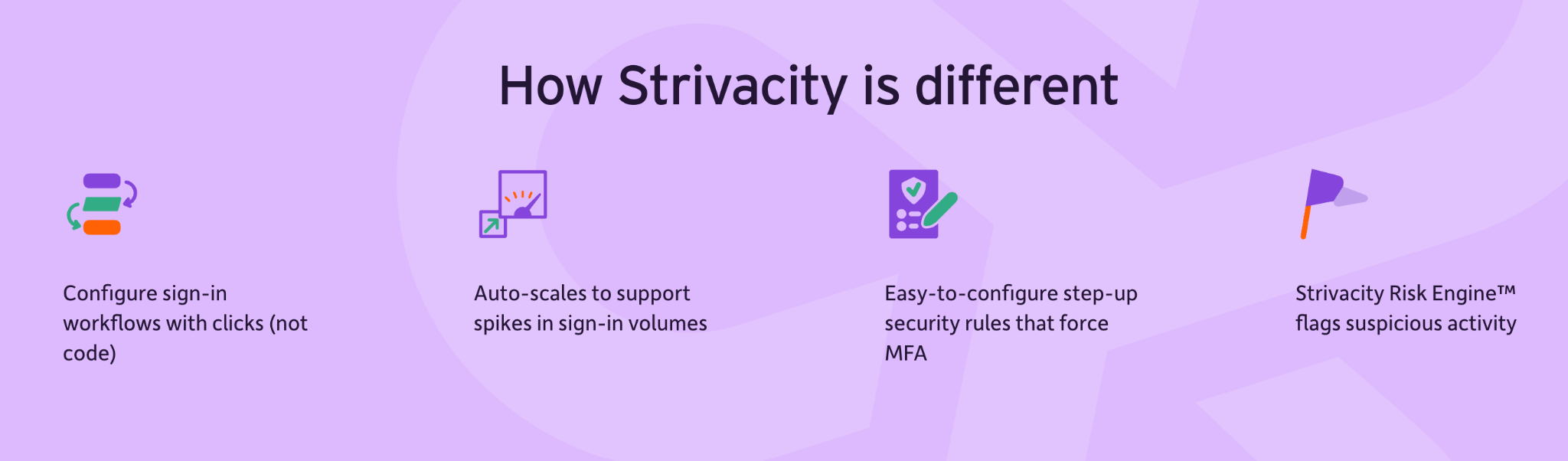
You can start with pre-built sign in workflows, including passwordless options, select your MFA methods, and configure the conditions that trigger stronger verification.
Explore Strivacity’s Adaptive Access controls to see how you can build a sign in experience that fits your customers and your security requirements.
Frequently asked questions
Does adaptive authentication require machine learning?
No. Adaptive authentication can use configured rules, machine learning, or a combination of both. Rules define responses to specific conditions, while machine learning can help recognize patterns in previous sign in activity. The approach depends on the solution and your requirements.
Does adaptive authentication monitor the entire customer session?
Not necessarily. Some solutions assess risk during sign in, while others also evaluate access requests or sensitive actions later in the session. Check which events your solution evaluates and where it can request additional verification.
Does adaptive authentication replace passwords?
Adaptive authentication determines when and how customers must verify their identity. It can work with passwords or passwordless methods, depending on the solution. Adopting adaptive authentication does not automatically make your sign in experience passwordless.
How does adaptive authentication assess a new customer without sign in history?
The system can evaluate the context available for the current attempt, such as device, network, and location information, alongside your configured policies. Features that depend on previous behavior have less information to work with until the customer establishes a sign in history.
What happens if a customer cannot complete an additional verification check?
The customer needs an approved alternative, such as another enrolled authentication method or a secure account recovery process. The options depend on your solution and configuration. Plan these routes before rollout so customers can regain access without simply bypassing the required verification.